Hello everyone! I’m excited to share a heartfelt update from the development journey of my mobile travel guide app called WalkWithMi. Today, I’m going to walk you through the features I’ve completed, some of the interesting challenges I’ve faced, and what’s coming next. This is a moment of reflection and forward momentum on my “build in public” path. Let’s dive in! 🎉
🌟 What Have I Achieved So Far?
The app has come a long way in the past few weeks. Here’s what I’ve accomplished so far:
- iOS App Initialization: The core iOS project for WalkWithMi is up and running! Currently, it’s only accessible by test users. 😊
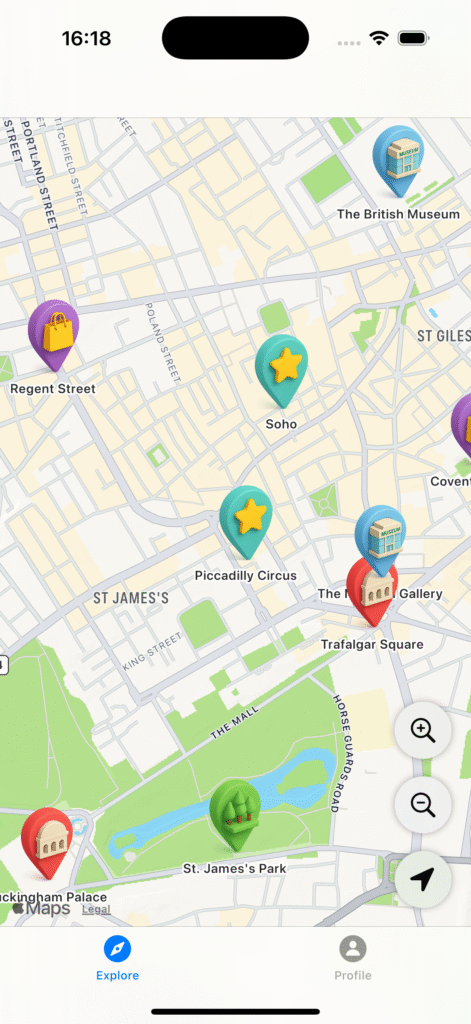
- Map Integration: The foundation of city exploration is the map, and it’s now fully integrated. Users can view places of interest (POIs) directly on a digital map. 🗺️
- POI System: I used n8n workflows to generate a list of POIs (e.g., museums, parks, historic sites). Each POI includes a rich set of details.
- Name, description, category
- Guide-style narrative
- Website, price info, opening hours
- Address, suggested visit duration
- Fun facts and visuals
- API Development: The iOS app now fetches dynamic POI data from a dedicated API service.
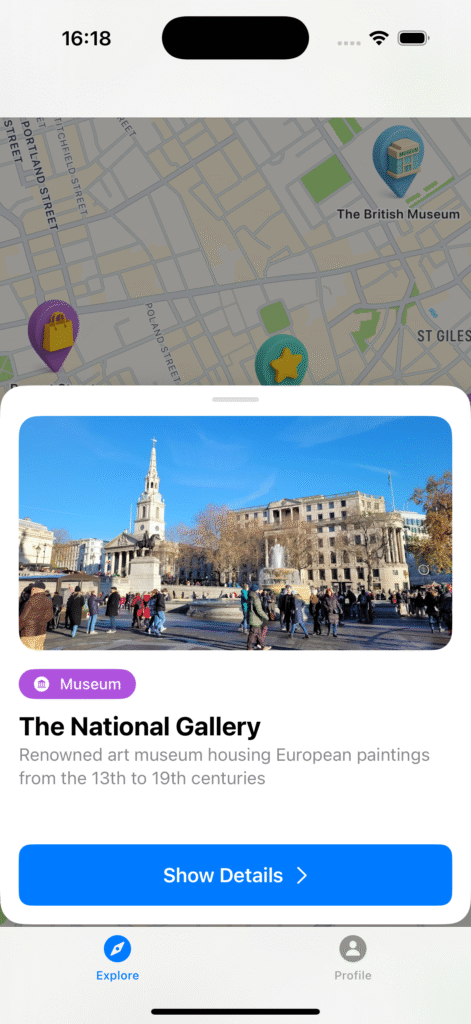
- Design Work: My girlfriend designed custom icons for each POI. Tapping an icon leads to the details page. The first step is complete both visually and functionally!
While the current interface is quite basic, WalkWithMi is beginning to take real functional shape. I can’t quite describe the joy I felt when I saw it running for the first time—an idea is becoming a real product! 🛠️
😅 Challenges Faced (And What I Learned)
Of course, this journey hasn’t been all smooth sailing. Here are a few of the pain points that turned into valuable lessons:
1. AI Support & Consistency Issues
I’ve heavily relied on AI tools throughout the project. However, one issue stood out: the AI often fails to remember its own past outputs. This leads to inconsistent code and redundant logic.
My Solution:
- I created a detailed development guide.
- Defined strict standards for naming conventions, component structure, and file hierarchy.
Now, collaborating with AI feels much smoother—and it’s a total game-changer for me!
✨ Current State of the App
The app works—but it’s far from polished. It’s a functional prototype with minor UI bugs. Right now, I’m embracing the “function first, design later” philosophy.
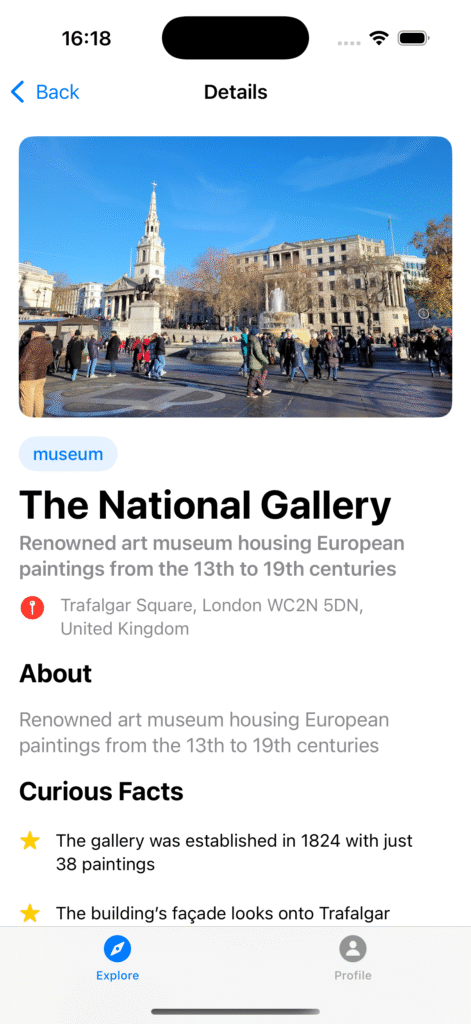
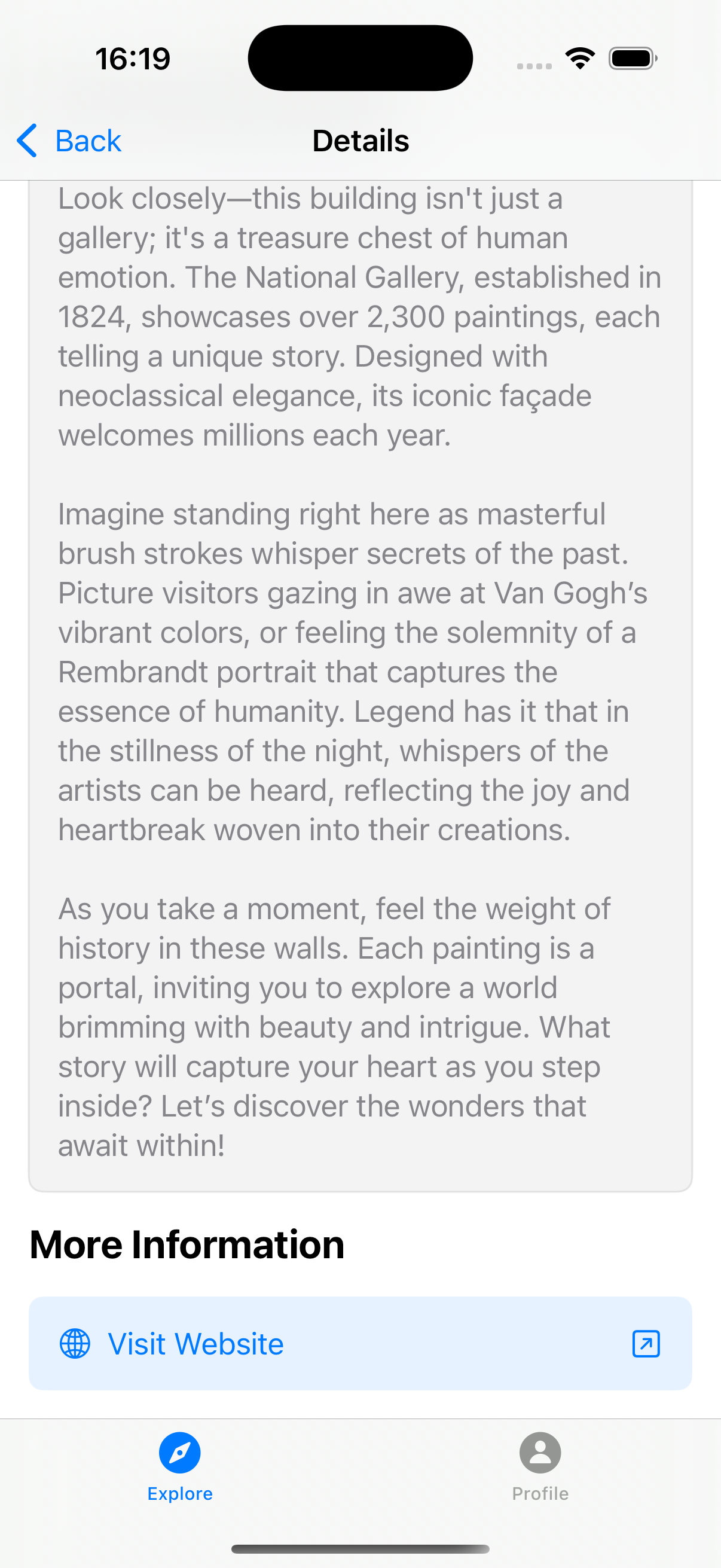
🖥️ The Detail Page
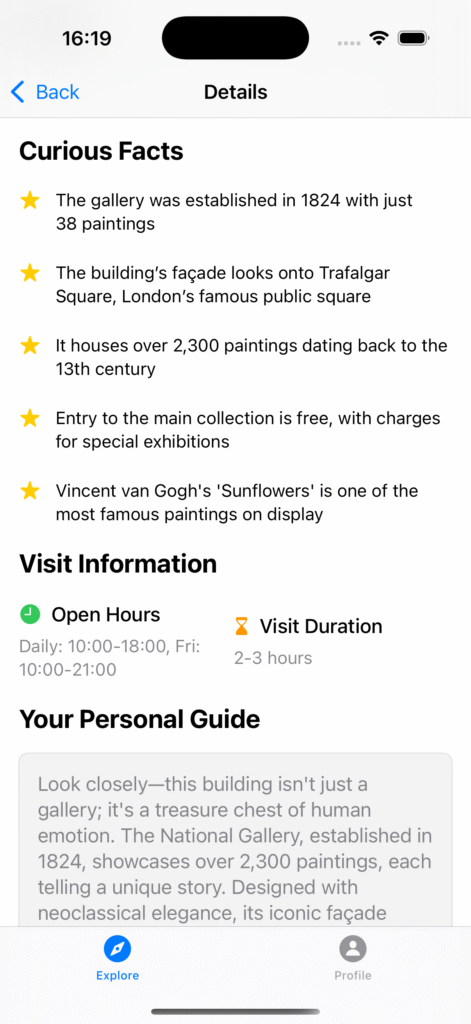
The detail page provides users with in-depth information about each POI. Here’s what’s included:
- POI name & category
- Description & guide narrative
- Website & price (if available)
- Opening hours
- Suggested visit duration
- Address
- Related images & fun facts
The moment I got this page working, I knew the journey was becoming meaningful. I’m finally offering users both practical data and storytelling. 🙌
🌱 What’s Next?
To shape the future of WalkWithMi, I’ve mapped out the following major goals:
1. Make the Map More User-Friendly
The map is the heart of the app. I’ll be refining the UX to make exploration even more intuitive.
2. Define and Apply UI/UX Standards
Right now, the UI is a basic skeleton. My next step is to create consistent design rules and apply them across the app—for both aesthetics and usability. 🎨
3. Improve Visuals
I want to choose the best images for each POI—ones that reflect the spirit of the place. The tone and consistency of visuals will be key.
🗣️ Final Thoughts…
This journey has been personally and professionally transformative (and still is). Sharing it with you keeps me motivated. If you were in my shoes, which area would you improve first—map, detail page, or overall UI?
I’d love to hear your thoughts and chat more about it. 👇
Stay tuned to see what I accomplish next. We’re just getting started. 😊